

Your AV Guy
Professional TV Mounting & Home Theater Installation
Serving Grand Prairie, Arlington, Mansfield, Dallas and surrounding DFW communities.
Your AV Guy specializes in TV mounting, surround sound, whole-home audio, security cameras and professional Wi-Fi networking.
Gallery
Photos & videos from our travels
Connect With Us
Make sure to add links to the icons

Mike@
YourAVGuy.com 
972-467-5667
A new TV can make a living room, game room, or media space feel instantly better - until the cords are hanging down the wall, the screen sits a little too high, or the mount does not feel as secure as it should. A professional TV mounting service Dallas homeowners can rely on solves the details that tend to turn a quick weekend project into an all-day frustration.
The goal is not simply to get a television off the furniture. It is to create a setup that looks intentional, works with the rest of the room, and stays easy to use after the installers leave. That means choosing the right wall location, supporting the TV correctly, planning cable paths, and making sure the equipment connected to it actually performs the way it should.
What a Professional TV Mounting Service Dallas Should Include
A clean installation starts before anyone drills into the wall. The installer should confirm the TV size and model, the type of wall surface, viewing distance, seating layout, and the devices you plan to connect. A 55-inch TV in a bedroom has different mounting needs than an 85-inch display over a living-room fireplace or a screen in a dedicated media room.
Wall construction matters. Most homes have drywall over wood or metal studs, but Dallas-Fort Worth homes can also include brick, stone, tile, masonry, and specialty fireplace surrounds. Each surface calls for the correct hardware and mounting method. Using a mount that is rated for the television's size and weight is only part of the job. The mount must also be attached to a structure that can safely carry that load.
A professional service should also account for the equipment around the TV: streaming devices, game consoles, cable boxes, Blu-ray players, soundbars, and receivers. When those details are planned together, you avoid having a great-looking screen with a pile of components and cables still visible below it.
The Right Height Depends on the Room
There is no single “correct” TV height for every home. In a primary living room, a comfortable viewing position usually puts the center of the screen near seated eye level. That helps reduce neck strain during a movie, a Sunday game, or a long gaming session.
A bedroom TV may be mounted higher because you are watching from a bed. A television above a fireplace often has to sit higher as well, but that is a trade-off worth discussing. A high screen can be less comfortable to watch, and fireplaces can create heat concerns depending on the design and use of the fireplace. A quality installer will talk through alternatives, including a mantel mount or another wall location, rather than treating every wall as the same.
Clean Cable Management Makes the Difference
The most noticeable difference between a basic mount and a finished installation is usually the wiring. A TV with cords draped from the bottom may be securely mounted, but it does not look complete. Concealing low-voltage cables inside the wall can create a much cleaner result for HDMI, Ethernet, speaker wire, and other AV connections.
Power needs a separate plan. In many cases, a recessed outlet behind the TV is the cleanest option. The right approach depends on the home's existing electrical layout, local requirements, and the equipment being installed. Extension cords should not be run inside walls. A professional can help identify a safe, appropriate path so the finished setup looks polished without cutting corners.
Cable planning also makes future changes easier. If you switch from cable TV to a streaming device, add a gaming console, or upgrade your sound system later, accessible and properly routed connections save time. It is often wise to run an extra HDMI cable or conduit during the original installation, especially when the wall is open or equipment is being placed in a cabinet across the room.
Choose a Mount for How You Actually Watch
Not every TV needs the same style of mount. A fixed mount keeps the screen close to the wall and gives the most streamlined appearance. It is a good fit when the viewing position is directly in front of the TV and glare is not a concern.
A tilting mount allows the screen to angle downward slightly. This can help when the television is mounted above eye level. A full-motion mount lets you pull the TV away from the wall, angle it toward a seating area, or reduce glare from windows. That flexibility is useful in open-concept homes, corner installations, and rooms with more than one place to sit.
The trade-off is that full-motion mounts require more room, more careful installation, and thoughtful cable management because the TV moves. They are not automatically the best choice for every room. The best mount is the one that fits the wall, TV, seating layout, and daily use of the space.
Do Not Treat Audio as an Afterthought
Modern TVs look better than ever, but their thin cabinets leave limited room for speakers. If clear dialogue and fuller sound matter to your household, plan for audio while the TV is being mounted. A soundbar can be mounted neatly beneath the screen, placed on furniture below it, or integrated with a larger surround-sound system.
Soundbar placement affects both appearance and performance. It should not block the bottom of the TV or interfere with an infrared sensor. The right connection method also matters. HDMI eARC is often the preferred option for compatible TVs and soundbars because it can carry higher-quality audio and let the TV remote control volume. Optical connections can still work well in many setups, but features vary by equipment.
For a media room, a receiver, in-wall speakers, and subwoofer may make more sense than a soundbar. For a casual family room, a well-installed Sonos, Yamaha, Samsung, or Sony soundbar may be exactly the right fit. The decision should reflect how your family uses the room, not just what looks impressive on a spec sheet.
Think Beyond the TV Wall
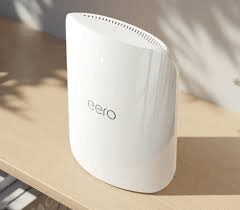
A mounted television is often the first step in a bigger home-technology project. If streaming apps buffer, video calls drop, or game downloads take forever, the issue may be Wi-Fi coverage rather than the TV itself. A wired Ethernet connection behind the TV can be especially helpful for high-resolution streaming, gaming, and dependable smart-home performance.
This is also a good time to consider equipment placement. A network switch, streaming box, gaming system, or AV receiver needs ventilation and access. Hiding every device completely can create problems if remotes cannot communicate with it or heat has nowhere to go. A professional installation balances a clean look with practical service access.
Your AV Guy can coordinate TV mounting with sound, Wi-Fi, cameras, doorbells, and other low-voltage projects, so homeowners do not have to line up separate contractors for each part of the system. That is especially useful during a move, remodel, or new-home setup, when several technology decisions happen at once.
What to Know Before Scheduling Installation
A little preparation helps the appointment move efficiently. Have the TV model, approximate wall location, and any mount you already purchased available. Let the installer know if the wall is brick, tile, stone, or above a fireplace. If you want wires hidden, mention that upfront, along with any soundbar, console, receiver, or existing equipment you want connected.
It also helps to think about what you want to see when the project is done. Do you want the TV centered on the wall, centered over a console, or aligned with a fireplace? Those are not always the same position. Are you keeping cable service, moving fully to streaming, or adding a game console for the kids? Small answers to these questions shape the right installation plan.
Ask whether the quote includes mounting hardware, cable concealment, device connection, soundbar installation, and basic setup. A clear scope helps prevent surprises and gives you a better comparison than a low price that only covers putting the bracket on the wall.
A properly mounted TV should disappear into the room in the best way: the screen is where it belongs, the cables are out of sight, the sound is clear, and everyone knows how to use it. That is the kind of result that makes coming home, settling in, and pressing play feel simple.
Who We Are
Your AV Guy
We are professional installers specializing in all integrated low voltage systems.
Our services are offered in Grand Prairie, Dallas, and surrounding areas.
Our primary integrated systems include:
Audio and Visual Surround Sound Systems
Home Theatre
Television Mounting
Networking and Wifi
Security/Surveillance Systems
We are the whole package -- service, sales, and installation.
We carry most major brands of consumer electronics and surveillance systems.
Yamaha, Sonos, Samsung, Sony, Definitive Technology, Martin Logan, Ring, Nest and many more!From sales to service, Your AV Guy can provide for all your needs.
#whatwires?!
What We Offer

TV Mounting
In-wall wire concealment, install or relocation of electrical outlet, cable drop/run. Regular walls or brick walls, we can do it all!

Audio
Become immersed with your sound system while maintaining a sleek appearance. We offer whole home audio installations with no visible wiring.

Smart Video
Doorbells
Check who's at your door with the Ring Pro Video doorbell. It has a built in HD camera with a mic, speaker, and motion alert.

Surveillance
Cameras
Worried about the security of your home? We offer 4mp IP Power Focus and Zoom surveillance cameras.

Wifi & Home
Network
Stream your favorite shows or watch the game without any problem! We offer access points for better Wifi coverage.

Art, Mirrors etc.
Hanging
We can alos hang all typs of Art, mirrors, etc.
We don't accept anything less than 5 stars, guaranteed!
A+ Rating
Gallery


Best of Grand Prairie
Small Business Award

Thumbtack Top Pro
2018